NocoDB SSO Is a Licensed Feature — and the Env Vars Won't Tell You
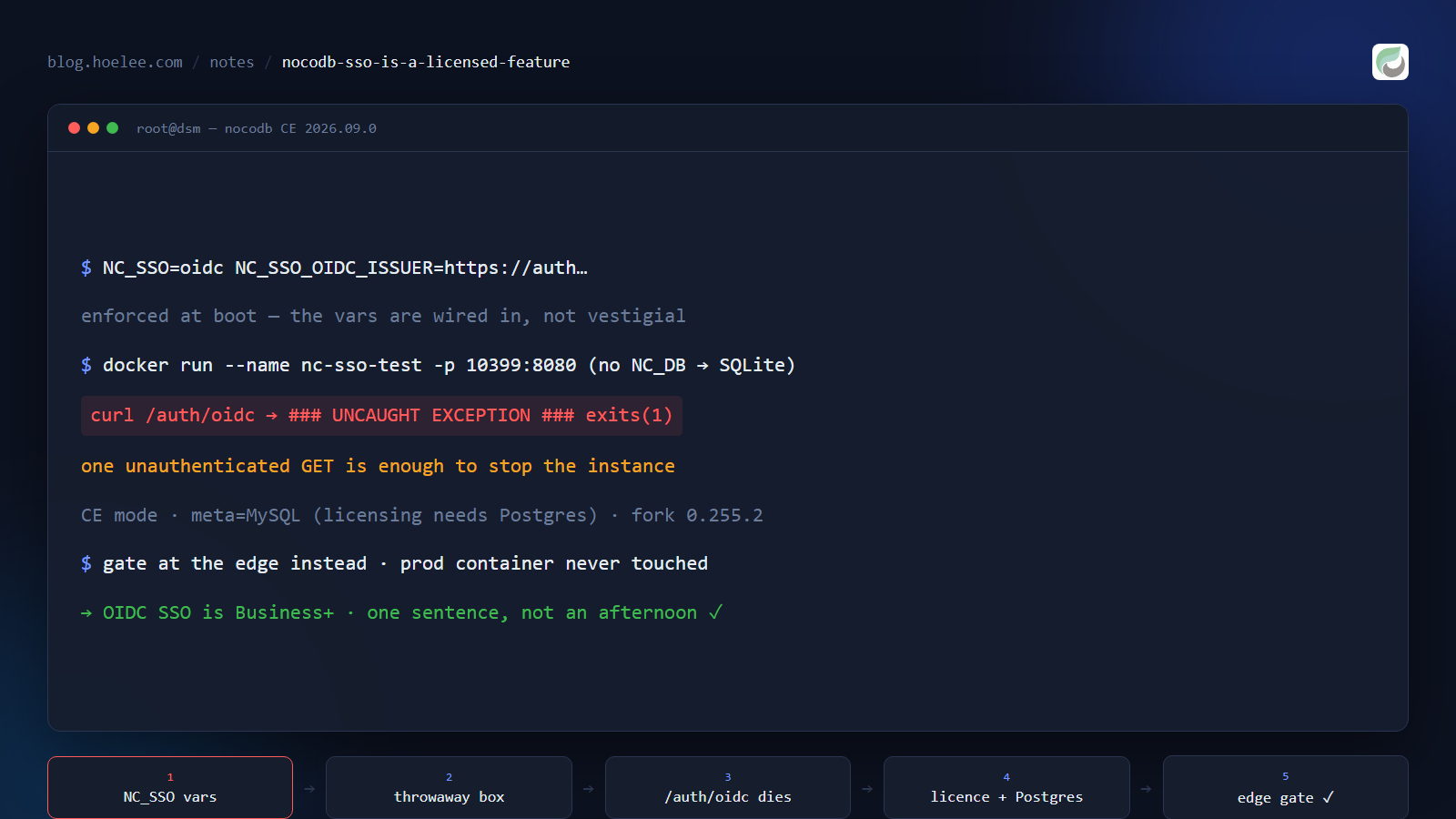
If you self-host NocoDB and search for “nocodb sso self-hosted”, you’ll find a documentation page describing OIDC single sign-on, a set of environment variables, and forum answers telling you it works if you set them. All of that is technically true. None of it tells you the part that matters.
So here it is: NocoDB’s OIDC SSO is a paid feature. On an unlicensed self-hosted build, the code path exists but abandons the process — and the failure isn’t a polite “SSO is not enabled on this instance”. The whole server exits.
Why this matters
Two audiences get bitten here.
If you enable it in production, you’ve built a denial-of-service trigger. The route that handles the OIDC callback is reachable without authentication — it has to be, that’s how a login flow starts. On an instance where that route crashes the process, anyone who requests it takes your database UI down. Not degrades it, not returns an error page: kills the container. You don’t need to be a target; a single curious visitor, or a link scanner that follows URLs, is enough.
If you’re evaluating NocoDB as a platform, this is a licensing signal you should read correctly. The feature is present in the open-source image, the variables are enforced, the code ships. What’s missing is permission. A feature that is implemented but not licensed looks identical to a feature that works, right up until you try it — and that’s the whole trap.
What the docs say, and what the image does
NocoDB’s own docs are clear if you read the licensing line: “OIDC SSO is available on NocoDB Cloud (Business plan and above) and licensed self-hosted deployments (Business plan and above).” The other half — that the unlicensed binary will not degrade gracefully — isn’t documented, and can’t be discovered from the docs, because it’s a runtime fact about the image.
The environment variables are real. The ones I confirmed against the shipped image:
NC_SSO: oidc
NC_SSO_OIDC_ISSUER: https://auth.example.com/application/o/your-app/
NC_SSO_OIDC_AUTHORIZATION_URL: https://auth.example.com/application/o/authorize/
NC_SSO_OIDC_TOKEN_URL: https://auth.example.com/application/o/token/
NC_SSO_OIDC_USERINFO_URL: https://auth.example.com/application/o/userinfo/
NC_SSO_OIDC_CLIENT_ID: ...
NC_SSO_OIDC_CLIENT_SECRET: ...
NC_OIDC_PROVIDER_NAME: Hoelee SSO
Only NC_SSO and the provider-name variable appear in the public documentation. The six per-provider variables are undocumented but enforced: start the container with NC_SSO=oidc and no URLs and it refuses to boot:
Open ID SSO is enabled but missing required env keysThat’s the detail that makes the trap convincing. Validation at startup means the feature is wired in, not vestigial. Nothing about that error message suggests the code path is unreachable without a licence — it reads like a configuration mistake you can fix.
How to test it without risking anything
Never test this on the instance you care about. A throwaway container with an in-image SQLite meta store is enough, and it takes about a minute:
docker run -d --name nc-sso-test -p 10399:8080 \
  -e 'NC_SSO=oidc' \
  -e 'NC_SSO_OIDC_ISSUER=https://auth.example.com/application/o/your-app/' \
  -e 'NC_SSO_OIDC_AUTHORIZATION_URL=https://auth.example.com/application/o/authorize/' \
  -e 'NC_SSO_OIDC_TOKEN_URL=https://auth.example.com/application/o/token/' \
  -e 'NC_SSO_OIDC_USERINFO_URL=https://auth.example.com/application/o/userinfo/' \
  -e 'NC_SSO_OIDC_CLIENT_ID=test' \
  -e 'NC_SSO_OIDC_CLIENT_SECRET=test' \
  -e 'NC_OIDC_PROVIDER_NAME=Test SSO' \
  nocodb/nocodb:<your-tag>
Note the deliberate omission of NC_DB — with no external database configured, the container spins up its own SQLite store, so it needs no credentials, touches no production data, and can be deleted with docker rm -f nc-sso-test.
Watch the startup, then request the SSO route once:
curl -s -o /dev/null -w '%{http_code}\n' http://localhost:10399/auth/oidc
docker ps -a --filter name=nc-sso-test
What I got, twice — the second time with a ?workspaceId= parameter to rule out a bad request shape:
### UNCAUGHT EXCEPTION ###
unhandledRejection TypeError: _0x418c23 is not a function at docker/index.js:1:27483406
…and the container is no longer running. Exit code 1, from an unauthenticated GET. Reproduced on 2026.09.0 with the same result both times. It isn’t a configuration error, and it isn’t a request the client got wrong.
Note the log line that explains it, from startup:
No license key found — running in CE modeThe other half of the licensing story
If your reaction is “fine, I’ll buy the licence”, read this before you budget for it, because there’s a prerequisite that isn’t obvious either:
Instance ID unavailable — PostgreSQL is required for enterprise licensingThe community edition I run uses MySQL as its metadata store, and MySQL cannot generate the instance ID that licensing depends on. So a licence isn’t something you activate on the instance you have — it’s a licence plus a metadata migration from MySQL to Postgres, which is its own project with its own risk, done on a live instance. NocoDB publishes a migration guide for exactly this, which tells you how common the situation is.
That isn’t a complaint about the pricing model. It’s the evaluation I wish I’d had before spending an afternoon: the cost of “just buy it” is licence plus a storage-engine migration for anyone running the default MySQL setup.
The fork that search results recommend — check it’s alive first
Search results for NocoDB SSO without a licence point at brunostjohn/nocodb-oidc, a community fork that adds OIDC to the open-source build. It’s a drop-in image and it’s exactly the thing you want. It’s also abandoned, and this is checkable in about two minutes:
# what version of NocoDB is the fork based on?
curl -s https://raw.githubusercontent.com/brunostjohn/nocodb-oidc/main/packages/nocodb/package.json \
  | python -c "import sys,json; print(json.load(sys.stdin)['version'])"
# 0.255.2

# when was it last touched?
curl -s 'https://api.github.com/repos/brunostjohn/nocodb-oidc/commits?per_page=1' \
  | python -c "import sys,json; print(json.load(sys.stdin)[0]['commit']['author']['date'])"
# 2024-10-29
A version from 2024 against an instance on a monthly release cadence is not a drop-in — it’s a two-year downgrade, taking with it the schema migrations, the security fixes and the API behaviour your automations already depend on. The advice is only as good as the fork is maintained, and search results don’t go stale when a repo does.
Check the fork’s base version and last commit date before you plan around it. Two curl calls, and they replace a rollback you’d otherwise do at 1 a.m.
What to do instead
- Decide whether you need SSO in the app, or in front of it. If what you want is “the internet can’t reach this login form”, a forward-auth proxy in front of the hostname gets you there with the open-source build. It’s not single sign-on in the app, and the app still asks for its own password — I wrote up that construction, and the ingress trap that made my first attempt look successful while being a no-op, in The Forward-Auth Gate That Verified Perfectly — and Wasn’t Live.
- Keep the app’s own login and lock the door at the edge. For an internal tool with a handful of users, this is what most people actually need.
- If a licensed build is genuinely required, price the migration, not just the licence. Confirm which metadata store you’re on first.
What I’d do differently
When a feature’s availability is ambiguous, read it out of the image instead of the docs. The docs describe intent; the image is the truth. One docker exec ... printenv | grep -iE 'NC_|OIDC', one grep of the shipped bundle, and one throwaway container answered in twenty minutes what an afternoon of documentation reading couldn’t.
And a blunter rule that generalises past NocoDB: an undocumented-but-enforced environment variable is a licensing boundary, not a feature flag. If a variable rejects your startup when it’s incomplete, but the documentation hides half its siblings, the missing piece is almost never configuration.
The result
Five minutes to reproduce on a throwaway container, twice, with the container dead both times. One accidental finding I’d rather not have learned in production: an unauthenticated request to the SSO route is enough to stop the instance.
The upside is that I stopped trying to make the app do SSO, put the decision in front of the hostname where it belongs, and can now answer “can NocoDB do SSO for free?” in one sentence instead of an afternoon.
Want this for your business?
If you’re evaluating self-hosted software, need single sign-on in front of internal tools, or want someone to check what your stack actually does versus what its documentation claims, that’s the work I do.
- WhatsApp: 011-797 2969 — tap to chat
- Email: [email protected]
- Website: hoelee.com
I set up authentik single sign-on, self-hosted Docker stacks and reverse proxies for small businesses in Malaysia — and I write up what I learn while doing it.