Read a Container's Own API Docs Instead of the Vendor's
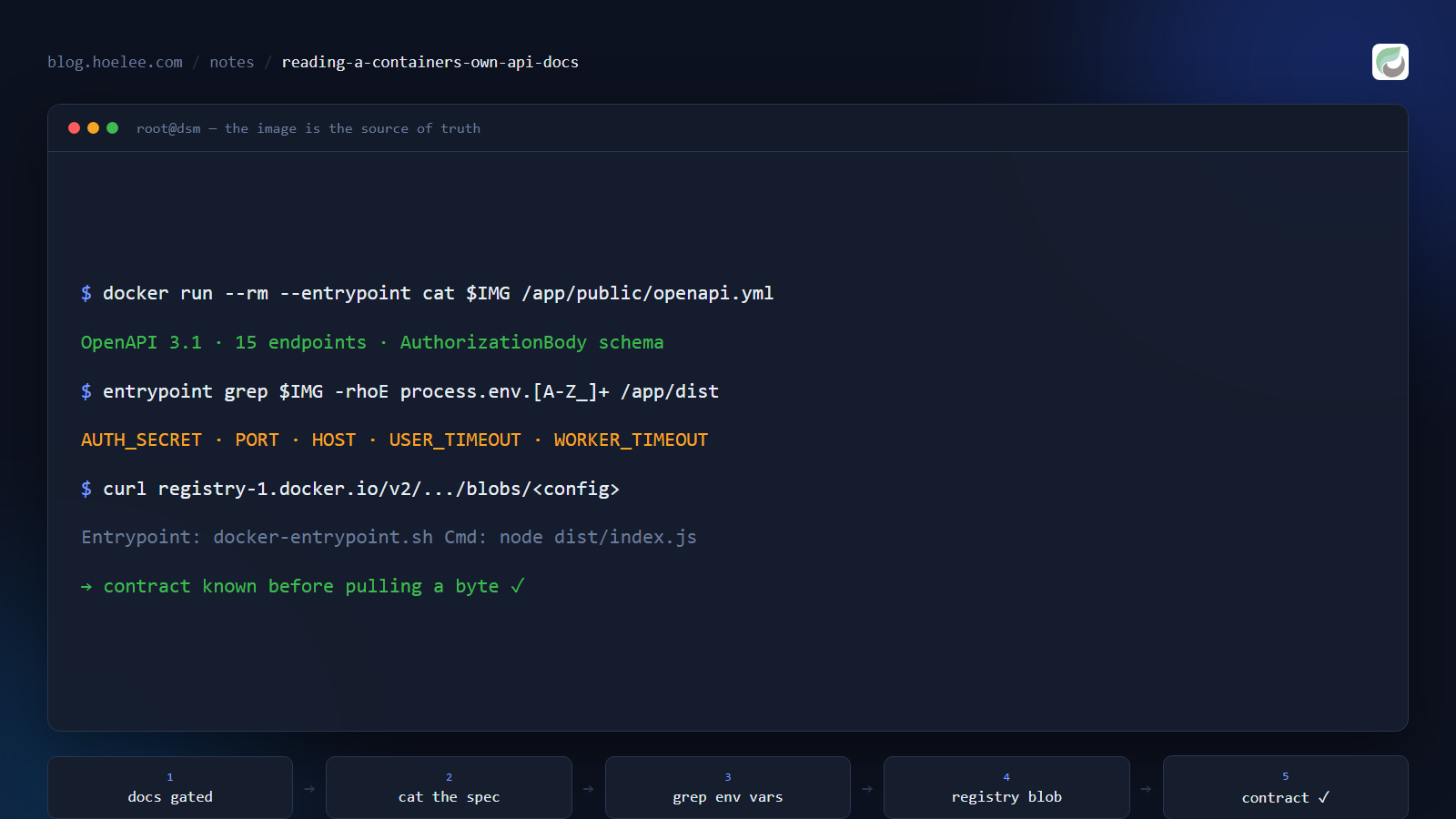
I needed to drive a vendor’s self-hosted API. Their docs existed, but behind an account login, and the page I could reach described what the API could do rather than how to configure it. The container, meanwhile, was sitting right there on my machine — and it contained the answers.
This is the set of commands I now run first for any image whose documentation is thin, gated, or missing. Everything here is read-only and needs no shell inside the container.
Why this matters
- Vendor docs describe the happy path; the container describes the contract. Exact env var names, defaults, exposed ports, whether a config file is required — none of that is reliably in a marketing page.
- Many images have no docs at all — a private registry, an internal build, or a community image someone pulled and pushed. The artifact is the only authority.
- Version drift is real. Docs on a website describe the latest release; the image you’re running might be two years old. Reading the artifact tells you about the thing you actually deployed.
1. Read files out of the image without running it
The single most useful trick: override the entrypoint and treat the image as a filesystem.
# what's in there?
docker run --rm --entrypoint ls <image> -la /app

# does it ship an API spec?
docker run --rm --entrypoint cat <image> /app/public/openapi.yml | head -40
That second command returned a full OpenAPI 3.1 specification, 27 KB, inside the image — complete with every endpoint, request body schema, and the authentication model. No login, no account, no gated docs.
If you don’t know the file layout yet, --entrypoint find covers more ground:
docker run --rm --entrypoint find <image> / -maxdepth 3 \
  -name '*.yml' -o -name '*.yaml' -o -name '*.json' 2>/dev/null | head -30
2. Extract the configuration contract from the bundle
Env var names are the part that will actually stop you — a required variable with no default means the container dies at startup, usually with an unhelpful error. Ask the source directly:
docker run --rm --entrypoint grep <image> \
  -rhoE 'process\.env\.[A-Za-z_][A-Za-z0-9_]*' /app/dist | sort -u
AUTH_SECRET
DEBUG
HOST
LOKI_HOST
METRICS_TOKEN
PORT
USER_TIMEOUT
WORKER_TIMEOUT
WORKER_PATHNine names, and now you know the whole config surface. For a default value, grep with context around the one you care about:
docker run --rm --entrypoint grep <image> \
-ohE '.{0,80}process\.env\.PORT.{0,80}' /app/dist/index.jsserverPort: parseInt(process.env.PORT) || 3e3,
serverHost: process.env.HOST || "0.0.0.0",
workerTimeout: parseInt(process.env.WORKER_TIMEOUT) || 600*1e3,PORT defaults to 3000, host to 0.0.0.0, workers recycle after ten minutes. That’s three uncertain decisions removed in one command. This works for any Node/Python image; for a Go or Rust binary the same idea applies with strings on the binary instead.
3. Inspect the image config without pulling it
On a slow link, or before you commit to a 1 GB download, you can read the image’s metadata straight from the registry. No local Docker daemon needed:
REPO=synology/spreadsheet-api
TAG=3.4.1

TOKEN=$(curl -s "https://auth.docker.io/token?service=registry.docker.io&scope=repository:$REPO:pull" \
  | python -c "import json,sys; print(json.load(sys.stdin)['token'])")

# manifest (follow the platform entry if it's a multi-arch index)
curl -s -H "Authorization: Bearer $TOKEN" \
  -H 'Accept: application/vnd.docker.distribution.manifest.v2+json' \
  "https://registry-1.docker.io/v2/$REPO/manifests/$TAG" \
  | python -c "import json,sys; m=json.load(sys.stdin); print(m['config']['digest'])"
Then fetch that config blob and print the interesting fields:
curl -s -H "Authorization: Bearer $TOKEN" \
  "https://registry-1.docker.io/v2/$REPO/blobs/<config-digest>" \
  | python -c "
import json,sys
c = json.load(sys.stdin)['config']
print('Env:       ', c.get('Env'))
print('Entrypoint:', c.get('Entrypoint'))
print('Cmd:       ', c.get('Cmd'))
print('Workdir:   ', c.get('WorkingDir'))
print('Ports:     ', list((c.get('ExposedPorts') or {}).keys()))"
Env: ['PATH=...', 'NODE_VERSION=22.18.0', 'WORKER_PATH=/app/dist/spreadsheet_worker.js']
Entrypoint: ['docker-entrypoint.sh']
Cmd: ['node', 'dist/index.js']
Workdir: /app
Ports: []Two useful facts fell out of that before downloading a byte: it’s a Node service, and it declares no exposed ports — so any port mapping has to come from the PORT variable, not from EXPOSE. Also worth checking while you’re there: the tags list tells you the real version history.
curl -s "https://hub.docker.com/v2/repositories/$REPO/tags/?page_size=25" \
  | python -c "import json,sys; [print(t['name'], t['last_updated'][:10]) for t in json.load(sys.stdin)['results']]"
4. Find the port it actually listens on
EXPOSE is documentation, not behaviour. To see what the process really bound to, look inside a running container:
docker exec <container> cat /proc/net/tcpThe port is in hex in field 2 — 0A in field 4 means LISTEN. Decode it:
docker exec <container> sh -c \
  "awk 'NR>1 && \$4==\"0A\" {print \$2}' /proc/net/tcp" \
| cut -d: -f2 | while read h; do printf '%d\n' "0x$h"; done3000Then confirm it answers, without leaving the container:
docker exec <container> sh -c 'wget -qSO- -O- http://127.0.0.1:3000/ 2>&1 | head -5'HTTP/1.1 302 Found
location: /docsA redirect to /docs — the image was serving its own Swagger UI the whole time.
5. Read startup logs without hanging your shell
Piping docker run straight into head or a log filter looks harmless and will hang: the process keeps the pipe open, so your command never returns. Run it detached, read the logs, then remove it:
docker run -d --name probe -e AUTH_SECRET=probe-only <image>
sleep 8
docker logs probe 2>&1 | head -20
docker rm -f probe
[02:06:17 UTC] INFO: Server listening at http://127.0.0.1:3000
[02:06:17 UTC] INFO: Server listening at http://172.27.0.2:3000That’s the whole answer in two lines — and it also told me the container starts fine with AUTH_SECRET and dies without it, which is a far better signal than the minified stack trace I got from running it in the foreground and watching it crash.
What this doesn’t replace
Read the vendor’s own documentation when it exists — it’s usually faster than spelunking, and it carries things an image can’t tell you, like version compatibility tables. On this particular image, the vendor’s page did publish the run command and the required AUTH_SECRET; I found them in the image first only because I hadn’t scrolled far enough down the page. Use both: the page for intent, the artifact for the exact contract you’re going to deploy.
The result
Four commands — cat the bundled spec, grep the bundle for env vars, read the config blob from the registry, exec cat /proc/net/tcp for the port — replaced a documentation hunt with: a full OpenAPI spec, all nine env vars, the default port, the config defaults, and a Swagger UI URL. No shell in the container, no login, nothing mutated.
The place this paid off hardest was Synology’s spreadsheet API container — the worked example, including the four failures that made me reach for these commands in the first place, is in The Synology Spreadsheet API Is a Container, Not an API Endpoint.
If you’re integrating a self-hosted system and the docs stop short, I do that work for small businesses in Malaysia — WhatsApp, email, or hoelee.com.