The Forward-Auth Gate That Verified Perfectly — and Wasn't Live
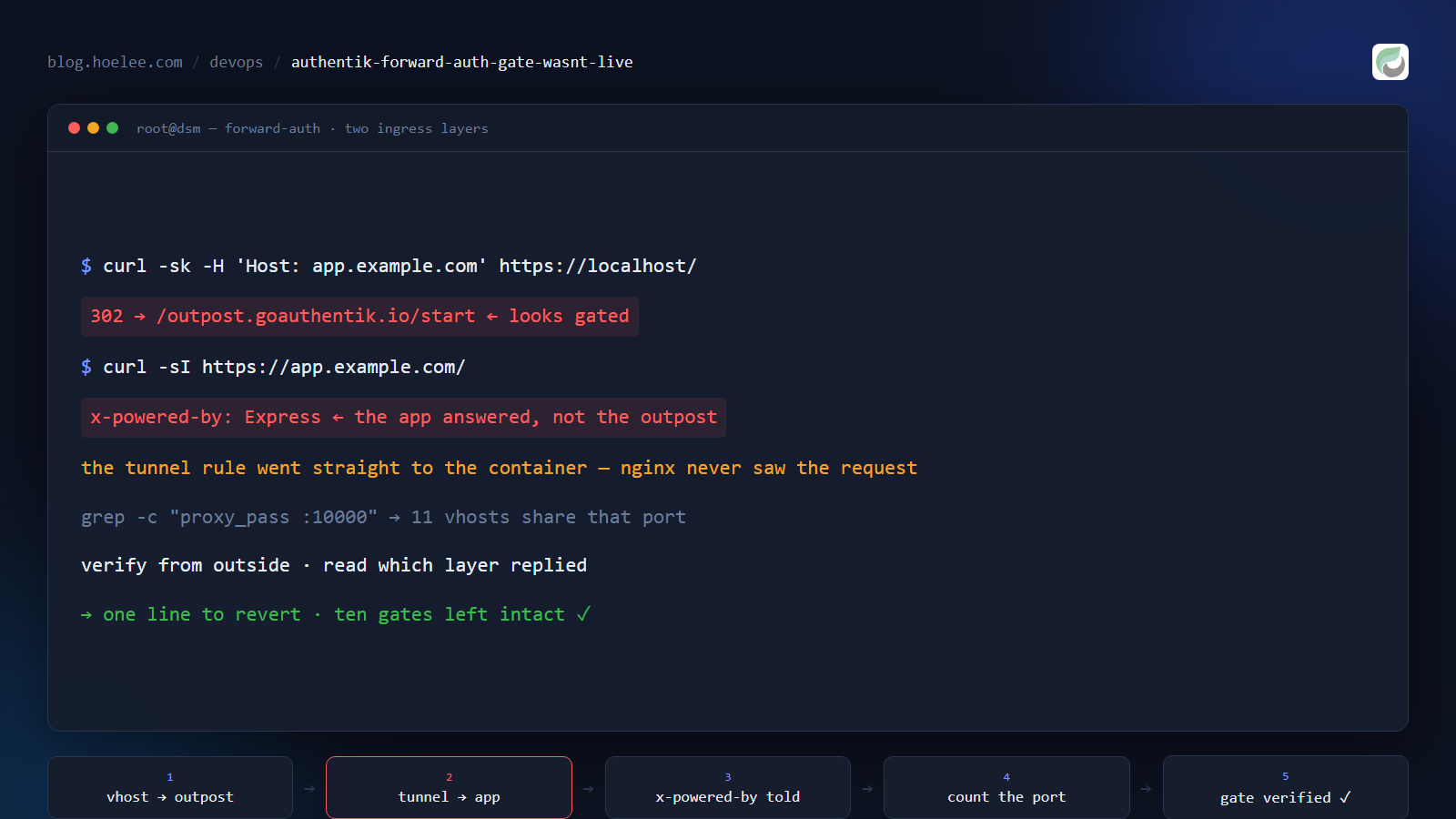
I finished the gate, ran the check, and it passed.
HTTP/1.1 302 Found
location: https://app.example.com/outpost.goauthentik.io/start?rd=...
x-powered-by: authentik
An unauthenticated request was being pushed to my authentik login page. Branded, correct, working. I was about to move on — except that my own rule for anything user-facing is to hit it the way a user hits it, from outside, over the public internet. So I did.
GET https://app.example.com/          → 200
x-powered-by: Express
The app answered directly. No login page, no redirect, no gate. The exact same hostname, one request path gated and one wide open, depending on where the request entered my network.
That was the whole day: not the SSO setup, which worked, but the fact that a hostname can be served by more than one ingress layer, and I had only gated one of them.
Why this matters beyond my one app
If you self-host anything behind a tunnel, a reverse proxy, or both, you have probably already made this assumption: “the reverse proxy is what serves my domains.” It’s an assumption that holds right up until it doesn’t, and it fails in the most dangerous direction — everything you change looks correct, because the path you’re inspecting is correct.
The failure mode is silent by construction. There is no error, no log line, no hint. Your configuration check passes because you’re checking the configuration you edited. Meanwhile the real traffic — the traffic you were protecting — never touches it.
I’ve since found two other gates on the same host with the same latent problem, built the same way, waiting for someone to trust them.
The setup: SSO for an app that has no SSO
The app was a self-hosted database UI on my NAS (Docker, published on a host port, sitting behind nginx and a Cloudflare Tunnel — the usual shape of my homelab). I wanted a login wall in front of it so that “reachable from the internet” wouldn’t mean “anyone who guesses the hostname sees the login form and can start guessing passwords”.
The app’s own documentation advertises SSO. I’ll keep this post focused on the ingress trap and put the licensing story in its own write-up, but the short version is that the advertised SSO is a licensed feature, the open-source build ships the code path but not the permission to use it, and the community fork that used to fill the gap hasn’t been touched in two years. Twenty minutes of research, two abandoned approaches, one conclusion: the app would never do SSO for me, so the gate had to live in front of it.
Which is a normal, well-trodden thing to do. authentik calls it a proxy provider, and the flow is:
- A login flow for this app — its own title, its own background, so a user who lands on the login page knows which system they’re being asked to authenticate for.
- A proxy provider — the object that knows the app’s external hostname (
https://app.example.com) and its internal address (http://app-container:8080). - An application linking the two, attached to the embedded outpost. The outpost is the component that actually receives traffic, checks for a session, and proxies the request to the app’s internal host after login.
- The ingress — pointing that hostname at the outpost instead of at the app.
Steps 1–3 live in authentik and are configuration. Step 4 is the one that decides whether any of it is real, and it’s the one I got wrong.
Two smaller things from steps 1–3, since they cost me time:
A partial PATCH on a proxy provider is rejected. Updating one field returns:
{"internal_host": ["Internal host cannot be empty when forward auth is disabled."]}The serializer re-validates the object, and a proxy provider without an internal host is invalid — so a one-field update fails as if you’d cleared a field you never touched. Send the identity fields together with the field you’re changing:
curl -s -X PATCH "$AUTH/api/v3/providers/proxy/$PK/" \
  -H "Authorization: Bearer $TOKEN" -H 'Content-Type: application/json' \
  -d '{"mode":"proxy","external_host":"https://app.example.com",
       "internal_host":"http://app-container:8080","skip_path_regex":""}'
authentik API tokens can expire mid-session. After working for an hour, every call started returning 403 {"detail":"Token invalid/expired"}. Note the status code: 403 means “we know who you are, and you may not do this” — the response body is the only thing that tells you the token died. If you cache a token in a script, re-read it from the database when calls start failing instead of assuming a permissions problem.
The trap: I verified the layer I changed
Here is the check I ran, from the host itself:
curl -sk -o /dev/null -w '%{http_code} -> %{redirect_url}' \
  -H 'Host: app.example.com' https://localhost/
# 302 -> https://app.example.com/outpost.goauthentik.io/start?rd=...
This is a good check. It proves the nginx vhost serves the outpost, that the outpost recognises the hostname, that the provider is linked to the application, and that the login flow is alive. Everything I had configured was proven correct in one command.
It says nothing whatsoever about whether public traffic reaches that vhost.
Here’s why. My hostnames are served by two independent ingress paths:
| Path | What serves it | Where it lands |
|---|---|---|
| Home IP → nginx (443) | the vhost I edited | the outpost ✅ |
Cloudflare Tunnel (cloudflared) | a rule inside the tunnel’s own config | the app’s port, directly ❌ |
The tunnel’s ingress is a small ordered list evaluated per hostname:
app.example.com     -> http://app-container:8080     ← straight to the app
*                   -> http_status:404
That rule was written years earlier, when the goal was simply “make this reachable”. It never mentioned nginx, because it never needed to. So my beautiful vhost sat off to the side of the real request path, gating a route that public traffic doesn’t take.
The two paths even answer on the same hostname, so nothing about the URL hints at the difference.
What finally made it obvious was a response header. The gated check returned x-powered-by: authentik. The public check returned x-powered-by: Express. Same URL, same second, two different servers answering. When you suspect you’re looking at the wrong layer, read the headers — they name the software that answered, which is exactly the question you’re asking.
To see your own tunnel’s rules rather than guessing (Cloudflare’s API, not the dashboard):
curl -s "https://api.cloudflare.com/client/v4/accounts/$ACCOUNT_ID/cfd_tunnel/$TUNNEL_ID/configurations" \
  -H "Authorization: Bearer $CF_TOKEN" \
  | python -c "import sys,json; [print(r.get('hostname','*'), '->', r.get('service','')) for r in json.load(sys.stdin)['result']['config']['ingress']]"
git.example.com -> http://192.168.1.6:6880
app.example.com -> http://app-container:8080
bot.example.com -> http://bot-container:8080
* -> http_status:404There it is, in one line, after a day of looking at nginx.
The permission wall on the way to the fix
Editing that rule needs a token with Account → Cloudflare Tunnel → Edit. Mine didn’t have it, and no zone-scoped token can substitute: tunnels are account-scoped objects, so a Zone-scoped token fails the read as well, with 1001 Not authorized. If you only have zone-level tokens, open the dashboard instead: Zero Trust → Networks → Tunnels → your tunnel → Public Hostnames and change the rule’s service to your outpost.
For me the correct target was the outpost on the same Docker network as cloudflared:
app.example.com -> http://authentik-server:9000The outpost reads the Host header (which the tunnel preserves) to pick the application, then proxies to the internal host from the provider config. That’s the whole change: one service value. Everything I’d built in authentik was already correct — it was simply never on the path.
Optional SSO: gate the UI, leave the API alone
Once the gate is really in front of the traffic, the next problem is the API. A hostname-level gate can’t tell a script from a browser, so token-only API calls get redirected to a login page — they don’t fail with a JSON error, they get HTML.
If you want SSO for humans and no SSO for machines, authentik’s proxy provider has a per-path exemption. The UI calls it Unauthenticated Paths; the API field is skip_path_regex:
{"skip_path_regex": "^/api/.*"}Verified result on my instance, same hostname, same session:
| Request | No session | Result |
|---|---|---|
/ and /dashboard | yes | 302 → authentik login |
/api/v1/health | yes | 200 from the app |
/api/v2/tables/.../records + API token | yes | 200 with real data |
Two caveats worth knowing before you rely on it. This exemption applies at the outpost, so unlike a path split at the CDN it works on every ingress path. And it is not per-user: the gate applies to the request, not the person. There is no “some users can skip SSO” — either a path is exempt for everyone, or everyone needs a session.
I used a simpler form of the same idea first: move every machine caller off the public hostname before the gate exists. My automation was calling the app through the public URL and being routed out to Cloudflare and back into my own network for no reason. Pointing it at the container name (http://app-container:8080) shortened the path, removed a failure mode, and meant the gate couldn’t break it. If a login wall takes down your integration, the integration was depending on the door being unlocked.
The honest part: this is not single sign-on
I have to be straight about what a forward-auth gate gives you, because “SSO” oversells it.
The outpost knows who you are. The app does not. Unless the app can consume an upstream identity — header-based auth, or native OIDC/SAML — it will show its own login form after the gate lets you through. So the user experience is: authentik login, then the app’s login.
For a user who is already signed in to authentik, the first step is often silent. But it’s still two systems, two session lifetimes, and two places a password can be wrong. In my case the app has no header auth and its own OIDC is a licensed feature, so the gate would have been an extra door bolted in front of the existing one — no reduction in logins at all.
That’s a legitimate trade for some setups: keep the app’s login for its own users, and stop the internet from reaching the login form. It’s a poor trade if what you actually wanted was “my team types one password”. Which meant the honest answer for me was to turn the whole thing back off.
Reverting it properly (and the arithmetic that saved ten other apps)
Undoing the gate is where I nearly caused a much bigger outage than the one I was preventing.
The nginx change was one line in a large generated vhost file. The obvious revert is to substitute the port back:
# DON'T — this is the version that would have hurt
sed -i 's#proxy_pass http://localhost:10000;#proxy_pass http://localhost:10380;#' vhost.conf
Before running it, I counted how many server blocks point at that same port:
grep -c 'proxy_pass http://localhost:10000;' vhost.conf
# 11
Eleven. My app was one of them. Ten other applications are gated through that outpost, and a blanket substitution would have silently un-gated every one of them at once — including the ones doing real authentication work. The “fix” would have looked successful and removed authentication from most of my homelab.
What I did instead:
- Snapshot the current state first, so the revert was itself reversible:
cp -a vhost.conf vhost.conf.bak-$(date +%Y%m%d-%H%M)-revert. - Find the exact line by diffing against the backup taken before the original change. That diff showed one changed line, which is proof of exactly how much I had touched.
- Edit that line only, then re-diff against the original backup and require the result to be identical before going further.
- Update the second file that mirrors the same setting — the NAS’s own reverse-proxy database, which regenerates the vhost on DSM events. I edited the single key and asserted the hostname before writing, never restoring the whole file.
nginx -tthen reload.
And then a detail that cost me another twenty minutes of doubt:
nginx -s reload && sleep 2 && curl -sk -H 'Host: app.example.com' https://localhost/
# still 302 -> /outpost.goauthentik.io/start
The revert looked like it had failed. It hadn’t. A request issued microseconds after the reload can still be answered by the old worker while it drains. The re-test a few seconds later returned 200 x-powered-by: Express — direct to the app, gate gone.
If a config change appears not to apply, re-test after a beat before you go looking for a second cause. With a request that fast, “the config is wrong” and “the old process is still answering” are indistinguishable.
What I’d do differently
- Enumerate every ingress path for a hostname before building anything on top of it. My checklist is now four questions, asked in this order:
- Is the hostname proxied by a CDN/tunnel? If yes, its rules are the real ones — check them first, not last.
- What does the reverse proxy vhost say?
- Does the platform mirror that vhost somewhere else that can regenerate it?
- Is there another hop (VPS, second proxy, vendor tunnel) with its own copy of the routing table?
- Verify from outside, and verify which software answered.
curlfrom the host with aHost:header proves your config is self-consistent. Only a request from the public internet, plusx-powered-by/serverheaders, proves it’s in force. - Find out whether the app can consume an upstream identity before you build the gate. If it can’t, you’re adding a login, not removing one — a decision to make deliberately, not to discover afterwards.
- Count before you substitute. Any port or hostname you’re replacing globally probably appears in more places than you think.
grep -ccosts a second and prevents an outage. - Snapshot, diff, edit one line, re-diff. The backup’s only job is to answer “how much did I change?” — and a diff answers it exactly.
The result
The gate worked. It was also invisible to every real user, and after working out what it actually delivered — a second login in front of an app that already had one — I turned it off again: one field cleared, one application unlinked, one line restored, verified by a request from outside my network.
The two checks that would have caught the whole thing on day one take about thirty seconds:
curl -sI https://app.example.com/ | grep -i '^x-powered-by'   # who is actually answering?
curl -s  https://app.example.com/ -o /dev/null -w '%{http_code}\n'  # what does a stranger get?
If the answer isn’t what your configuration says it should be, you’re editing the wrong layer. That’s worth knowing before you spend the day on it — and definitely before you tell anyone the gate is live.
Want this for your business?
If you need single sign-on in front of internal tools, a self-hosted app exposed safely to the internet, or someone to audit which ingress path is actually serving your domains, that’s the work I do.
- WhatsApp: 011-797 2969 — tap to chat
- Email: [email protected]
- Website: hoelee.com
I set up authentik single sign-on, hardened reverse proxies and Cloudflare tunnels, and self-hosted Docker stacks for small businesses in Malaysia — and I write up what I learn while doing it.