Why Chrome Forgets Its Tabs in a Container — And How I Fixed It
I run a real Google Chrome inside a Docker container on my NAS. It is not a scraping instance and not a screenshot service — it is a browser I actually use: signed into the accounts a headless bot should never touch, watchable through a web desktop from any device, and drivable over the Chrome DevTools Protocol when I want to automate part of a job.
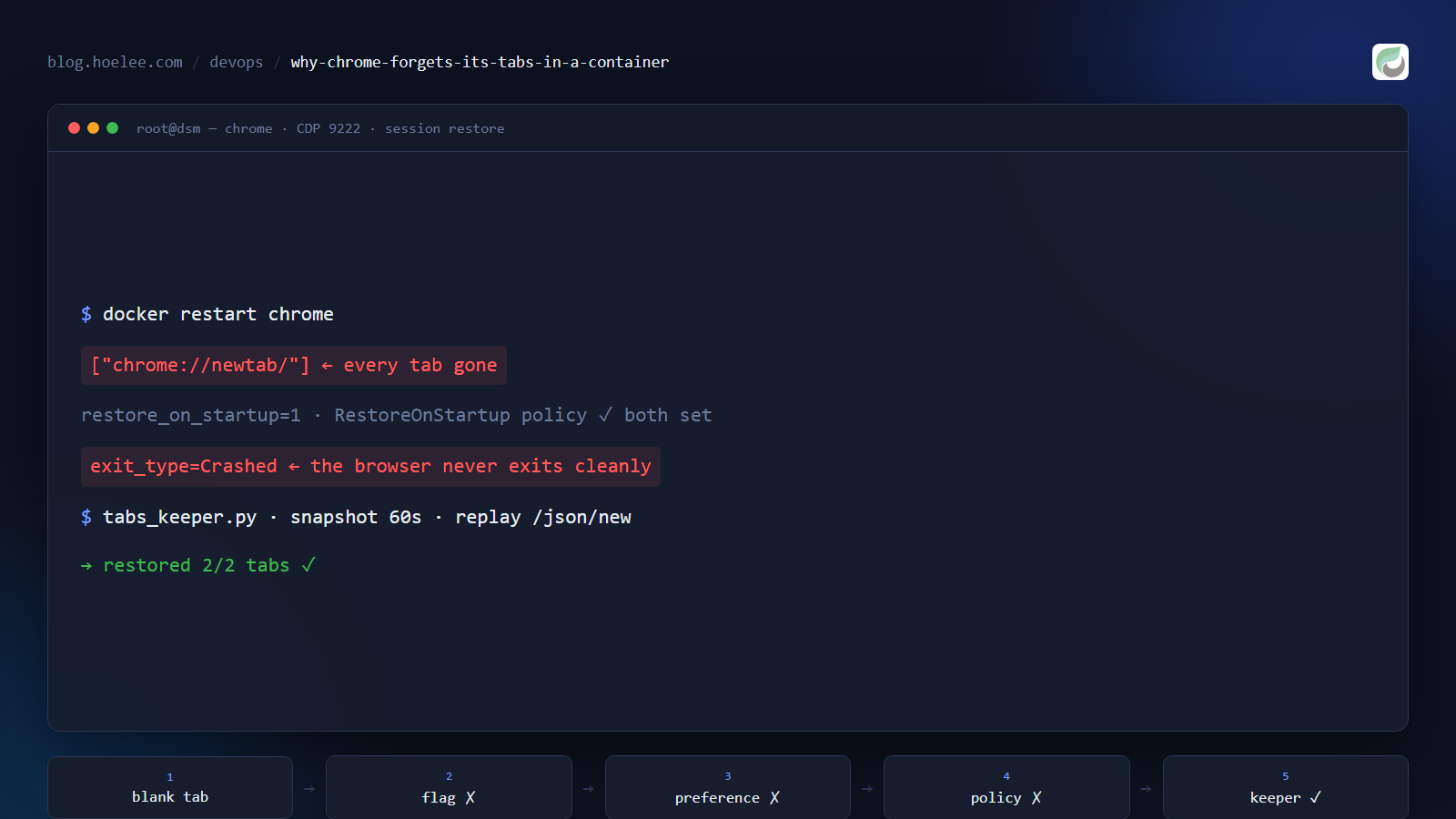
It works well, with one exception. Every time the container restarts, the browser comes back with a single blank tab.
Chrome has a setting for exactly this — “Continue where you left off”. It was already enabled. It did nothing. What follows is three fixes that failed, the actual root cause, the two landmines I hit on the way, and the ~70-line keeper that finally made restarts survivable.
Why this matters
When a container browser is your workspace, the tabs are the state. Half-finished forms, a marketplace listing in progress, a dashboard filtered to the right date range, three tabs open on a customer’s infrastructure — that is the work. A browser that opens on about:blank means the first ten minutes after every restart are spent rebuilding context you already had.
I looked for this answer more than once and found nothing but “set restore_on_startup” advice that does not survive contact with a container. If you have hit the same wall, this is the wall explained.
The setup
A single Docker stack on a Synology NAS, two browsers in it (real Chrome and Brave), each behind my own SSO gate:
| Piece | Value |
|---|---|
| Image | lscr.io/linuxserver/chrome — real Google Chrome 154 |
| Desktop | Selkies web desktop, container 3000/3001 → host 3030/3031 |
| Automation | CDP published at http://<nas>:9232/json/version |
| Profile | a bind mount, /config/profile inside the container |
| Launch flags | --remote-debugging-port=9222 --user-data-dir=/config/profile --restore-last-session |
The profile is a bind mount, so the logins, cookies and history genuinely do persist across a container rebuild — that part was never broken. Only the session (which tabs were open) was lost.
Attempt 1: the flag
Chromium ships a switch that sounds like the answer: --restore-last-session. It is documented as “restore the last session after an unexpected exit”.
I added it via the image’s CLI env var and confirmed it was actually applied to the running process, because these images build the command line from a wrapper script:
docker exec chrome sh -c 'tr "\0" " " < /proc/$(pgrep -f "google-chrome --" | head -1)/cmdline' | tr ' ' '\n' | grep -E 'restore|user-data-dir|remote-debug'
# --remote-debugging-port=9222
# --user-data-dir=/config/profile
# --restore-last-session
Restart. Blank tab. The flag was there; it just had nothing it was willing to restore.
Attempt 2: edit the profile’s preferences
Chrome stores “Continue where you left off” in the profile’s Preferences JSON as session.restore_on_startup: 1. So I stopped the container and edited it directly, along with the exit_type marker:
import json
p = '/config/profile/Default/Preferences'
d = json.load(open(p))
d.setdefault('session', {})['restore_on_startup'] = 1   # 1 = restore last session
d.setdefault('profile', {})['exit_type'] = 'Normal'
json.dump(d, open(p, 'w'))
This is the classic advice you will find online, and it half-worked: after the next boot, Chrome had kept restore_on_startup: 1 in the file — and still opened a blank tab. What it did not keep was my exit_type: it had already rewritten that to Crashed at startup.
That rewrite turned out to be the first real clue. Chrome treats startup state as a security boundary — the settings a hijacker would most like to change (homepage, search provider, startup pages) are MAC-checked against a separate Secure Preferences file. A value edited on disk does not automatically become a value Chrome obeys.
Attempt 3: a managed policy
The supported way to force browser behaviour is a managed policy, which is authoritative and not subject to that MAC check. On Linux, Chrome reads /etc/opt/chrome/policies/managed/*.json:
{ "RestoreOnStartup": 1 }Two details before you bother: Chrome ignores a policy file that is writable by the user running the browser, so it needs root:root and mode 644 — and on a Synology share, chmod refuses to run even under sudo for some directories, so verify the mode you already have instead of assuming you changed it.
Mounted into the container, verified present after boot:
docker exec chrome sh -c 'ls -l /etc/opt/chrome/policies/managed/; cat /etc/opt/chrome/policies/managed/hoeleepolicy.json'
# -rw-r--r-- 1 root root 28 hoeleepolicy.json
# { "RestoreOnStartup": 1 }
Restart. Blank tab. Still.
Attempt 4: prove the exit is ungraceful
At this point the question stopped being “which setting do I need” and became “what does this browser actually see when the container stops”.
Chrome’s restore machinery needs a session it considers interrupted or resumable. It rolls Current Session into Last Session on a clean exit. I asked the CDP endpoint to close the browser gracefully instead of pulling the container out from under it:
# browser-level target from /json/version
ws.send(json.dumps({"id": 1, "method": "Browser.close", "params": {}}))
Chrome exited — and the desktop session relaunched it within seconds. exit_type was back to Crashed immediately.
That is the whole trick, and it explains all three failures: the browser never exits cleanly. When you stop the container, the desktop session is torn down and the browser is killed with it. No clean exit means no Last Session rollover, which means there is nothing for “continue where you left off” — or a RestoreOnStartup policy — to restore. The flag, the preference and the policy were all working correctly and all had nothing to work with.
The data was never missing. The profile’s session directory was being written continuously, seconds apart, the whole time:
-rw------- 1 hoelee users 40722 Session_13434833255312492
-rw------- 1 hoelee users 58879 Tabs_13434833757632480
-rw------- 1 hoelee users 79361 Tabs_13434833833646133
The fix: stop configuring, start keeping
If the browser cannot be trusted to remember its own session, the container can remember it instead. Two jobs, both tiny:
- On start: wait for the browser, and if it came up with no real page open, re-open the URLs it had last time.
- Forever after: every 60 seconds, snapshot the open page URLs.
That is a background script launched from the image’s container-init hook. The version I run, trimmed to the useful parts:
#!/usr/bin/env python3
"""Restore last session's tabs on start, then snapshot open tabs every 60s."""
import json, os, time, urllib.parse, urllib.request

CDP   = "http://127.0.0.1:9222"          # loopback inside the container
STORE = "/config/tabs-last.txt"          # lives in the persistent profile mount

def open_tabs():
    """http(s) page URLs, or None when the browser isn't answering yet."""
    try:
        with urllib.request.urlopen(CDP + "/json/list", timeout=5) as r:
            tabs = json.load(r)
    except Exception:
        return None
    return [t.get("url", "") for t in tabs
            if t.get("type") == "page" and t.get("url", "").startswith("http")]

saved = [u.strip() for u in open(STORE)] if os.path.exists(STORE) else []

# 1) restore — wait up to 3 minutes for the browser to come up
if saved:
    for _ in range(60):
        if open_tabs() is not None:
            break
        time.sleep(3)
    if open_tabs() == []:                      # nothing but a blank new tab
        for url in saved[:20]:
            req = urllib.request.Request(
                CDP + "/json/new?" + urllib.parse.quote(url, safe=""), method="PUT")
            urllib.request.urlopen(req, timeout=10).read()
            time.sleep(0.7)

# 2) snapshot — write even an empty list, so "I closed everything" is respected
while True:
    time.sleep(60)
    tabs = open_tabs()
    if tabs is None:
        continue
    tmp = STORE + ".tmp"
    open(tmp, "w").write("\n".join(tabs) + ("\n" if tabs else ""))
    os.replace(tmp, STORE)                     # atomic; a kill can't truncate it
Two design choices worth copying:
- Restore only when the browser came up empty. If a future Chrome version does restore its own tabs, the keeper stays out of the way instead of duplicating every tab.
- The snapshot is atomic and may be empty. Writing through a temp file plus
os.replacemeans a container killed mid-write cannot leave a truncated list, and an empty snapshot is meaningful data: it means you closed everything on purpose, so the next start should stay empty.
The container-init hook that runs it:
#!/bin/sh
# clear stale singleton state (see below)
rm -f /config/profile/Singleton* 2>/dev/null
# long-running, so background it or you block container init
/usr/bin/env python3 /custom-cont-init.d/tabs_keeper.py >> /config/tabs-keeper.log 2>&1 &
exit 0
Landmine 1: a stale Singleton* stops Chrome from starting at all
While testing restarts I hit a worse failure than a blank tab: the container came up healthy with no browser in it. No google-chrome process, CDP dead, the relay’s healthcheck reporting unhealthy, nothing in the logs beyond the desktop starting.
The cause is the profile’s SingletonLock/SingletonSocket/SingletonCookie symlinks. They encode “this profile is owned by PID n on host h” — and inside a container, PIDs are reused across restarts, so the next boot can find its own PID already claiming the profile and exit immediately. Deleting them at container start, before the browser launches, is the fix. It is also why that rm -f sits in the hook above.
Landmine 2: custom-cont-init.d only runs executable files — and runs them with bash
The LinuxServer images execute every file in /custom-cont-init.d, but only if it is executable, and each one through /bin/bash. Which means a Python file you drop in there must not be executable, or it gets fed to bash and exits 2:
[custom-init] tabs_keeper.py: executing...
[custom-init] tabs_keeper.py: exited 2
The split that works: a .sh hook at 755 that backgrounds the long-running work, and the .py next to it at 644. And anything that does not return immediately has to be backgrounded, or container init waits on it forever.
The plumbing trap that came with it
The keeper talks to Chrome over CDP on loopback, which is why it needs no ports. If you also want to drive the browser from another machine, there is one more container in the picture, because Chrome ≥ 136 pins its devtools endpoint to 127.0.0.1:9222 and ignores --remote-debugging-address. The standard workaround is a socat sidecar sharing the browser’s network namespace:
chrome-relay:
  image: alpine/socat
  network_mode: service:chrome            # must share the browser's netns
  command: socat TCP-LISTEN:9223,fork,reuseaddr TCP:127.0.0.1:9222
  healthcheck:
    test: ["CMD-SHELL", "nc -z 127.0.0.1 9222 || exit 1"]
The port mapping does not go on the relay (it has no namespace of its own) — it goes on the browser service: 9232:9223.
That sidecar has one behaviour you have to internalise: restart the browser and the relay dies with it. The namespace it was living in is rebuilt underneath it, socat keeps running and its sockets stop working, so CDP answers with connection reset while the container still looks fine. Fix the symptoms in this order:
docker restart chrome && docker restart chrome-relay # order mattersThe healthcheck above is what turns a silent failure into a visible unhealthy flag. If you want to drive a container browser yourself, I wrote the client side up separately in Scraping a Bot-Walled Marketplace With a Warm Browser Session.
What I’d do differently
- Determine whether the process can exit cleanly before trusting any “restore on startup” mechanism. I spent three attempts configuring a feature whose precondition — an exit the browser notices — was never met. One
Browser.closetest would have collapsed the whole search. - Don’t hand-edit browser preferences. They are MAC-checked against
Secure Preferences; a plausible-looking value on disk is not a value Chrome obeys. If you need a switch to be authoritative, use a managed policy — and verify the policy is loaded instead of assuming the file is enough. - Check who is allowed to write the policy. A root-owned
644file in/etc/opt/chrome/policies/managedis the shape; a user-writable one is ignored silently. - Treat “the browser is running” and “the container is running” as different questions. The stale-singleton failure looked like a healthy container from the outside.
- Snapshot state instead of asking software to remember it. Anything with a hard kill in its shutdown path — containers, kiosks, desktop sessions — is a poor place to rely on clean-exit bookkeeping. A 60-second atomic snapshot is boring, and it works.
The result
- Tabs restored 2/2 on both browsers across a real container restart (
restored 2/2 tabsin the keeper log), verified over CDP afterwards - Logins, cookies and
localStorageconfirmed surviving the same restarts — the persistent profile was never the problem - Three stacks (two browsers plus a throwaway experiment) collapsed into one, with the relay’s healthcheck making the one restart-order trap visible instead of silent
Want this for your business?
If you want a browser that stays logged in — running on your own hardware, reachable from anywhere, behind SSO, with tab state that survives restarts and a CDP endpoint your scripts can drive — that is the setup I run and maintain.
WhatsApp: +60 12-797 2969 · Email: [email protected] · hoelee.com
Website design and development is my main line of work; self-hosted infrastructure and automation is the other half of it.