No API for Browser Translation: Adding an English Mode to a Chinese-Only Web App
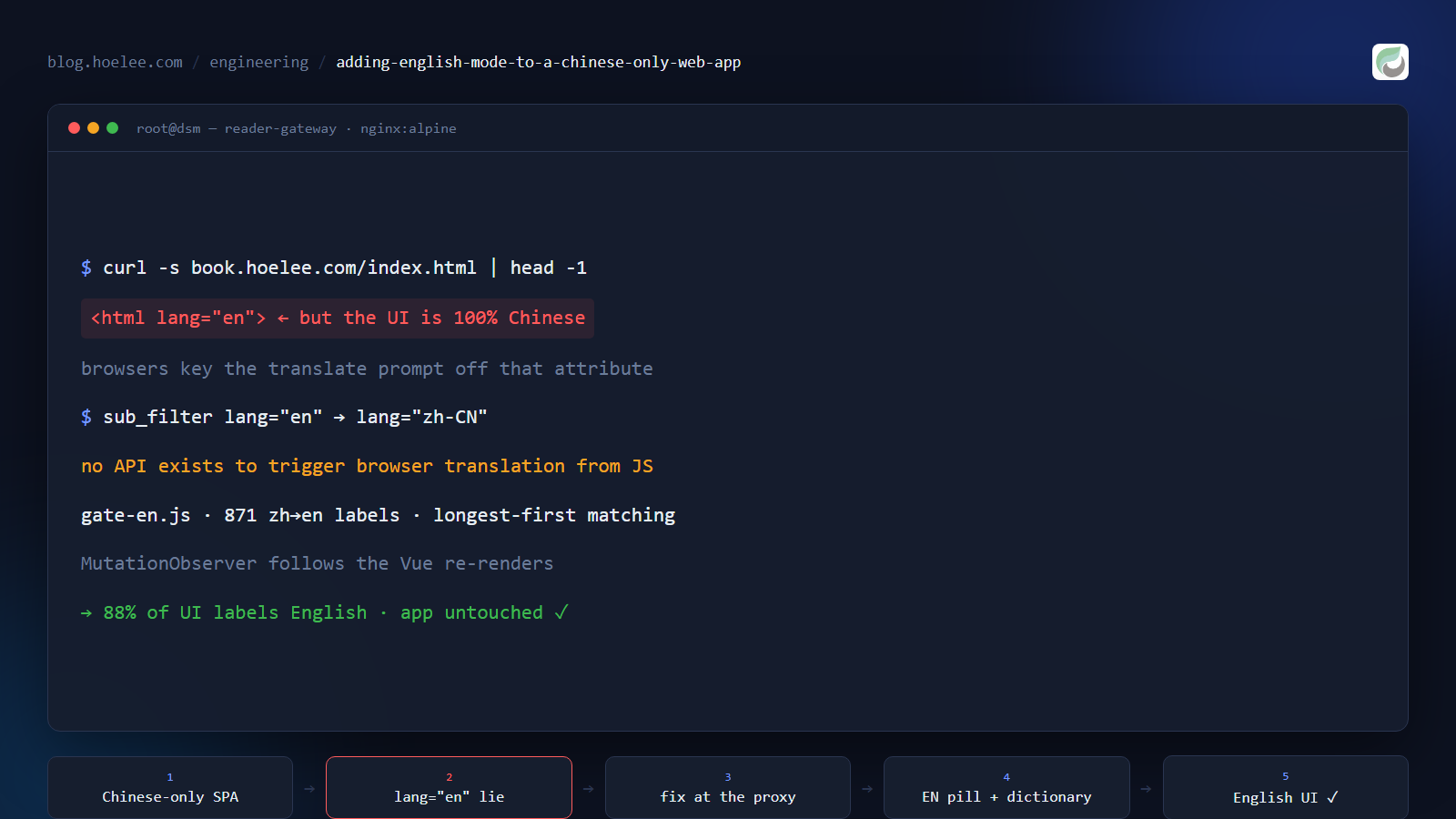
Can I trigger the browser’s translate feature from JavaScript? No. That answer cost me an afternoon to accept — but the more interesting discovery came first: my app was already sabotaging the browser’s translation, and it did it with a single attribute.
What I was working on
I run a private, invite-only reading platform at book.hoelee.com: a self-hosted reader (Kotlin/Spring backend, Vue single-page app) holding my library, with accounts for invited readers. The interface is Chinese-only. Not “Chinese-first” — only. I grepped every served bundle before believing it: no i18n library, no locale files, no language switcher. Just a Simplified/Traditional character converter and a list of English TTS voice names.
Then I started handing out invite cards to English-speaking readers. They could register, and then they met 书架, 浏览书仓, 确定, 设置 — every control in a language they don’t read. That isn’t a polish problem. For half the people I invited, the product was unusable.
One constraint shaped everything that follows: I don’t modify the app. Its upstream repository is archived and the UI is a minified Vue bundle, so anything I patch inside the image dies the next time I swap the image. Whatever I build has to live one layer out — in the nginx gateway I already run in front of the app.
Finding 1: the app declares the wrong language, and that disables translation
Before writing a single line of code, I looked at what the browser sees:
$ curl -s https://book.hoelee.com/index.html | grep -o '<html[^>]*>'
<html lang="en">
The shell says English. The interface is 100% Chinese.
That matters more than it looks. Chrome, Edge and Safari decide whether to offer translation largely from the page’s declared language. A page that declares English while rendering Chinese text doesn’t get the “Translate this page?” prompt — the single most useful accessibility feature for my new readers was silently switched off, and right-click → Translate to English is a ritual most people never learn.
The fix is one line, applied to the response on the way out instead of inside the app:
location = /index.html {
    # sub_filter cannot rewrite a gzipped body -> ask upstream for plain HTML
    proxy_set_header Accept-Encoding "";
    sub_filter_once on;
    # the app declares lang="en" while its UI is Chinese -> browsers then never
    # offer Chinese -> English translation. Declare the truth.
    sub_filter '<html lang="en">' '<html lang="zh-CN">';
    proxy_pass http://hectorqin-reader:8080;
}
Verify the same way you found it: curl -s https://book.hoelee.com/index.html | grep -o '<html lang="[^"]*"' → <html lang="zh-CN". The declared language is what the translate prompt keys off, so with the page finally declaring Chinese the offer can fire correctly. (The exact prompt still depends on each browser and its language settings — what I verified on the wire is the attribute itself.) Because the rewrite happens at the proxy, it survives every app update.
Finding 2: there is no browser-translate API
With the page honest again, the obvious next question was whether I could offer translation myself — a button that does what the browser’s menu item does. There is no such API. Browser translation is a UI-level feature; a page cannot invoke it, and no web-exposed surface exists to script it.
So I worked through the alternatives and rejected them one by one:
| Approach | Why I dropped it |
|---|---|
| Rewrite the app’s JS bundles to swap strings | Couples me to minified internals; the next image breaks it. Also violates the no-modify rule in spirit. |
Proxy the site through translate.goog | It’s a different origin. The app keeps its auth token in localStorage, which is per-origin — readers would land logged out, and the service worker/PWA breaks. Every API call would also round-trip through Google. |
| Tell readers to right-click → Translate | Works for book text, but it’s a per-visit, per-browser ritual that does nothing for someone who doesn’t know it exists. Not good enough for a product where I control the whole stack. |
| Fork the app and add i18n properly | Weeks of work on an archived codebase, for an interface I’d have to re-translate on every upstream change. |
What’s left is the unglamorous one: translate the interface myself, in the browser, with a dictionary — and wrap it in a button that only exists inside the app.
The fix: a dictionary and a button, injected at the gateway
The gateway already serves my front page, so it can serve one more static file and inject a script tag into the app shell only:
location = /gate-en.js {
    root /usr/share/nginx/html;
    add_header Cache-Control "public, max-age=300" always;
}

location = /index.html {
    # ... the lang rewrite above ...
    sub_filter '</head>' '<script src="/gate-en.js" defer></script></head>';
    proxy_pass http://hectorqin-reader:8080;
}
That’s the whole deployment: a 40 KB script, loaded only on /index.html, so the button exists inside the app and nowhere else. The script does three things.
1. Harvest the vocabulary from the app’s own bundles
The UI strings are already in the minified JavaScript as quoted literals. Extract every one that contains a CJK character and count them:
import re, collections
CJK = re.compile(r'[\u4e00-\u9fff]')
count = collections.Counter()
for bundle in bundles:
    for m in re.finditer(r'"([^"\\\n]{2,40})"', bundle):
        if CJK.search(m.group(1)):
            count[m.group(1)] += 1
print(len(count))   # 840 unique strings, most frequent first
840 unique strings came out: menus (书架, 书源管理), confirmations (确认要删除所选择的书籍吗?), settings labels (段落行距), error messages (本地书籍源文件不存在). The dictionary ended up at 871 entries — the harvest plus everything I found by running the app in English mode and watching what stayed Chinese.
2. Match like the DOM actually is, not like you wish it were
Naive substring replacement mangles Chinese compounds: 书架 sits inside 加入书架, and single characters are worse (页 inside 页面). Three rules fixed it:
- Whole-label match first, on whitespace-stripped text. The app stores labels like
" 书架 "with padding, so a dictionary key of设置has to match" 设置 "in the DOM. - Then longest-first substring replacement, restricted to keys of two or more characters.
- One-character keys are whole-label only (章, 页, 条), so they can never corrupt a longer word.
function tr(s) {
  if (!s || !CJK.test(s)) return s;
  var hit = EXACT[s.replace(/[\s\u3000]/g, '')];   // whole label, whitespace-normalised
  if (hit) return keepWS(s, hit);
  var t = s;
  for (var i = 0; i < KEYS.length; i++) {          // KEYS: longest-first, length >= 2
    if (t.indexOf(KEYS[i]) >= 0) t = t.split(KEYS[i]).join(DICT[KEYS[i]]);
  }
  // tidy count phrases: 共58个可用书源 -> "58 usable sources"
  return t.replace(/共\s*(\d+)/g, '$1').replace(/(\d+)\s*个/g, '$1').replace(/(\d)([A-Za-z])/g, '$1 $2');
}
3. Keep up with the framework
It’s a Vue app, so the DOM is rewritten constantly — a translation pass that runs once is a translation pass that’s half wrong a second later. A MutationObserver with a 150 ms debounce re-runs the walk after any change.
The pass is idempotent: once a label is English it contains no CJK, so nothing is rewritten and there is no write loop. Text nodes plus placeholder, title, aria-label, alt and input value attributes all get translated, which is why tooltips and the search box come along too.
The UI is a small pill in the bottom-right corner: EN when off, 中文 when on, remembered in localStorage, with a “Hide this button” link for readers who prefer their own translator.
What it deliberately does not translate
Book text. The reader renders EPUB content inside an iframe; my walker skips iframes by design, and I would never machine-swap a novel’s prose anyway.
Also left alone: book titles and authors, book-source names, and the group names I created myself (梯子, 精品, 正版), plus the app’s poem tagline. Those are data, not interface. Translating the chrome is a courtesy; silently rewriting a user’s own content is a different and much worse idea.
For book text the browser’s own translation is still the right tool — and it now actually gets offered, thanks to Finding 1. The button’s popup says exactly that.
Measure it, don’t eyeball it
“Screenshots look mostly English” is not a result. I counted CJK-containing text nodes in the live DOM before and after toggling the button:
let cjk = 0, total = 0;                          // walker skips the injected UI + script/style
while ((n = walker.nextNode())) {
  const t = n.nodeValue.trim();
  if (!t) continue;
  total++;
  if (/[\u4e00-\u9fff]/.test(t)) cjk++;
}| Screen | Before | After | Translated |
|---|---|---|---|
| Login / register dialog | 80 | 12 | 85% |
| Bookshelf + settings | 259 | 60 | 77% |
| Reading page chrome | 214 | 31 | 88% |
Everything still counted as Chinese on those screens is data — titles, authors, source names, my own group names, the tagline — which is exactly what should stay Chinese.
What I’d do differently
Don’t rewrite an 871-entry dictionary by hand. I restructured mine once and silently dropped 25 keys. The symptom looked like a logic bug: 设置 stayed Chinese while every sibling label translated correctly. The matcher was fine — the entry was gone. Diff the key sets programmatically before you trust a rewrite:
python -c "print(sorted(set(old_keys) - set(new_keys)))"Keep automated UI checks short. My headless runner hard-times-out at 60 seconds per call. A six-book loop came back HTTP 408 with an empty body, and my JSON parser reported a parse error rather than a timeout — I debugged the wrong thing for a while.
Learn the SPA’s real routes before debugging it. #/reader/1 renders a blank shell and makes you think the app is broken; the actual route is #/reader?bookUrl=<urlencoded>.
Mind your own bounce logic. My gateway sends any reload back to the front page unless a sessionStorage pass flag is set. Switching the interface back to Chinese reloads the page — so the button sets that same flag first, or the reader gets thrown out of the app for changing a language setting.
Result
An English-only reader now opens the platform, taps one button, and reads the interface in English. The app itself is untouched: the whole feature is a 40 KB script served by a sidecar nginx container, so the next image update cannot break it, and the browser’s own translation has a page that declares its real language to work with.
The lesson I’m keeping: when the platform won’t give you an API, look one layer out. A reverse proxy is a legitimate place to add behaviour you can’t add in the app — and it’s usually the only place that survives upgrades.
I build and self-host platforms like this one — web apps, private libraries, internal tools for small businesses in Malaysia. If you need something similar: WhatsApp +60 12-797 2969, [email protected], or hoelee.com.