When SMART Says Healthy and Your RAID Is Silently Corrupting Data

Every storage guide tells you the same thing: trust SMART, check the event log, and believe your filesystem. My hardware disagreed. In September 2026 a btrfs RAID1 pool — two mirrored enterprise NVMe drives that said “healthy” in every tool I could run — was quietly feeding my Windows 11 VM all-zero bytes. Not visibly failing. Silently corrupting.
This is the full story: how the corruption surfaced, and the checksum that gave it away.
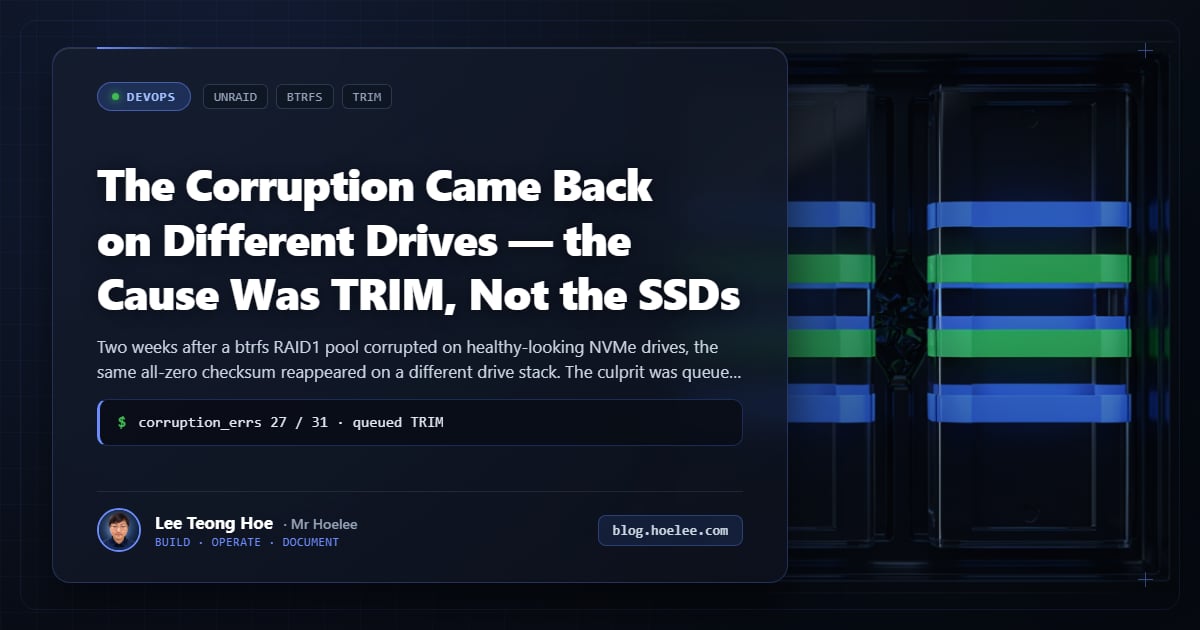
Update (2026-09-18): the root cause turned out to be uncertain. The “replace both drives” verdict below was my best diagnosis at the time, but a later, unrelated failure taught me to question it. Both NVMe drives now test clean, and the strongest remaining suspect is the M.2 riser both drives were plugged into — a link-layer fault on the riser reproduces exactly the correlated, all-zero corruption I blamed on the drives. SMART is silent to link faults, so it can’t rule one out. I describe that wake-up call (a “dead” SATA SSD that was just a bad cable) in a companion post. Read the original analysis, then the correction — and then the sequel: two weeks later the same all-zero fingerprint appeared on a completely different drive stack, and this time the root cause surfaced. See The Corruption Came Back on Different Drives — the Cause Was TRIM, Not the SSDs.
Update: why I no longer blame the drives
Two things changed my mind after this post went up.
1. The drives test clean now. Under current conditions both PM9A3s read and
write correctly. If they carried a batch-level defect that was actively
corrupting in September, I’d expect them to fail a sustained write+verify
(verify=crc32c) soak — they don’t.
2. A link fault was the real lesson all along. Right after this incident I
hit the same failure signature on a different drive (a Seagate IronWolf 110 that threw
WRITE FPDMA QUEUED timeouts, failed mkfs, and went silent — textbook
“dead SSD”). It turned out to be the SATA cable. A flaky link reproduces
every symptom I blamed on hardware below: timeouts dropped before a CRC is
computed, real pages lost, and — if both RAID1 members share the same
faulty M.2 riser or slot — correlated corruption across both drives.
That’s the one explanation that fits “both members lied the same way,” and it
doesn’t require any drive defect at all.
So I can’t honestly say “the drives were bad.” They may have been perfectly fine, and the corruption may have come from the M.2 riser they both sat on. Note that this does not make the incident a false alarm: real data could not be read back, and whatever the cause, I removed it, migrated the data, and verified every byte. But the correct lesson is “rule out the link before condemning the drive,” not “same-batch drives are untrustworthy.”
The full link-vs-drive detective work is in “I Was About to RMA This SSD — the Fault Was a SATA Cable”. And the ultimate root cause — queued TRIM firmware interaction triggering identical all-zero checksums at filesystem layer — is documented in The Corruption Came Back on Different Drives — the Cause Was TRIM, Not the SSDs.
The original analysis (kept for transparency)
What follows is what I concluded at the time. It was the most defensible reading of the evidence available, and it may still be right for reasons I can’t rule out — but read it as the incident report it is, not the final verdict.
Why this matters
A corrupting disk is the worst kind of storage failure because it’s the easiest to miss:
- SMART looked perfect. Zero media errors, ~100% spare, on drives rated for heavy enterprise write loads.
- The pool had redundancy. btrfs RAID1 mirrored every block across two drives. Redundancy means nothing when both members lie the same way.
- The failure was silent. No red warning in the Unraid array status, no failing drive, no hardware event — just VM reads slowly returning garbage until a backup restore became the only option.
If your data only gets corrupted when nothing looks wrong, “backup” is not paranoia — it’s the entire ballgame. This incident is why a testable, verified restore beats any array status screen.
The setup
- unRaid 7.x on an Intel i9-13900K, with a Windows 11 VM as the primary workstation (GPU passed through).
- Cache pool: two Samsung PM9A3 3.84 TB NVMe drives in btrfs RAID1.
Both from the same production batch (same controller/firmware
revision,
GDC7702Q). - The Windows VM’s virtual disks (
vdisk1.img,vdisk2.img) lived on that pool, in thedomains/share — plus Docker’s data root. - The VM’s vdisks were not
NOCOW— so every read was validated against a btrfs checksum. That setting ended up being the reason I caught it at all.
The symptom
I started noticing cache reads were crawling, and host commands were stalling:
cat, reading /proc/loadavg, even docker image ls were timing out. The
corrupt NVMe was being hammered at 45–75 MB/s of reads, and every read
saturating the drive stalled the whole host’s I/O. A docker system prune
that should have finished in seconds just hung.
Then the real problem surfaced: the Windows VM began throwing read errors and data that came back was wrong — files that were full of zero bytes, checksum failures in the guest, and ultimately an unbootable primary VM.
The forensic: csum 0x8941f998
On btrfs, when a read fails verification the kernel logs a checksum mismatch for the affected extent. The same value kept recurring:
btrfs: checksum verify failed on <device> wanted <expected> found 0x8941f998That specific value was the first real clue. 0x8941f998 is the CRC32C of
a block of zeros — and note which side of the message it sits on. wanted is
what the csum tree says the file should be; found is what the kernel computed
from the bytes the drive actually returned. Seeing the zero-block checksum on
the found side is proof that the read itself came back empty, not that the
metadata was wrong. It has to be — it came up every time, across unrelated
files and inodes. What was happening wasn’t random bit rot; the drive was
returning all-zero blocks, consistently, and those zero-filled reads were
exactly what btrfs was failing to verify:
- Check the value: the CRC32C of a zero-filled 4 KiB extent is
0x98f94189, which the kernel prints as0x8941f998in on-disk (little-endian) order. - It’s the same value again and again → reads were deterministically producing empty data, not occasionally flipping bits.
Two VM vdisks were affected (vdisk1.img inode 2358574, vdisk2.img inode
2362817), which fit the picture: a storage layer was returning zeros instead
of the data it was asked to read.
The tell: self-heal “fixes” that never stuck
btrfs RAID1 is supposed to be self-healing: read a bad block on one member, reconstruct it from the mirror, and rewrite the good data back. But as I scrubbed and re-read the same (still all-zero) data, it became clear the rewrites were not sticking. Each rebuild “succeeded” and the very next read of the same extent produced zeros again.
That’s the critical distinction:
- A drive that only fails to read is a read problem — self-heal should recover it from the mirror.
- A drive that also accepts and silently stores garbage is a write or controller problem — the mirror can’t save you, because both paths agree on the wrong answer.
When self-heal rewrites keep not sticking, you’re no longer in “one bad sector” territory. You’re in “the device is lying about writes” territory, and RAID redundancy won’t help.
Why both drives had to go (my reasoning at the time)
This was the basis for the original “replace both” decision. Read the correction in the Update above before acting on it — a shared M.2 riser link fault also fits this evidence without any drive being defective.
The data pointed at a hardware defect in the same-batch drives, not a wear or one-off event:
- SMART was clean (0 media errors, ~100% spare, and
nvme0had written roughly 586 TiB — heavy, but on a drive rated for enterprise workloads). - The two drives were same-batch, same controller/firmware (
GDC7702Q). - Corruption hit both RAID1 members in correlated fashion — the whole point of mirroring (survive one drive dying) failed because both were dying the same way, in lockstep.
With a correlated, batch-level defect, keeping one “healthy-looking” drive as the surviving member is a false economy. I restored the Windows VM from backup and replaced both drives.
What I did in parallel: move the data off that pool
Before the drives were replaced, anything still worth reading had to come off the failing pool — and it had to be verified, not assumed:
- Docker’s data root moved off the cache:
dockerwas relocated to/mnt/user/docker(ondisk1, overlay2). The whole tree was verified by matching path, size, and mtime for all 3,997,569 files against a byte-comparison. - The cache’s
isos/,system/, andswapfilemoved todisk1; theisos/set (~13 GB) was checked withdiff -rq→ EXIT=0, no differences. - Everything moved was compared against the source before the cache copy was deleted — never delete a copy you haven’t verified.
The read-side corruption (all-zero blocks) and the write-side corruption (self-heal not sticking) meant I trusted nothing from that pool without a mirror, a checksum, or a fresh backup to compare against.
What I’d do differently
- Test-restore the VM backup before needing it. I’d verified backups existed, but a corruption incident is not the time to first learn your restore procedure. A scheduled test-restore catches both backup failure and silent storage corruption.
- Treat same-batch drives as one drive. Both PM9A3s came from the same batch with the same firmware. For a married cache pool (or any RAID1) that’s a correlated-failure risk — prefer drives of different production batches or at least hammer-test the pair before trusting a mirror.
- Detect, don’t just hope. btrfs checksums are what surfaced this
through the noise. The
NOCOW-less vdisk config meant the filesystem was validating every read; a pool of checksummed data is the difference between “caught it and restored” and “shipped corrupted files for months”. - Don’t trust SMART for flash. For a healthy-looking NVMe that still corrupts, the event count says nothing — the firmware-level defect can be invisible to every SMART attribute.
The result
One Windows VM restored from backup, the data safely off the failing pool, and Docker’s data root relocated — plus a lesson I had to un-learn after the fact. I replaced both drives, but I can no longer be certain they were the cause: the evidence fits a shared M.2 riser link fault just as well, and both drives test clean now. (Full detective work in “I Was About to RMA This SSD — the Fault Was a SATA Cable”.)
Final update: the riser turned out to be innocent too. Two weeks later the same all-zero checksum appeared on a completely different stack — motherboard SATA ports, no riser in the path — and the actual mechanism surfaced: asynchronous TRIM erasing the same logical range on both RAID1 members at once. See The Corruption Came Back on Different Drives — the Cause Was TRIM, Not the SSDs.
The incident was contained because corruption was caught by checksums, not wallowed in for weeks — that part stands regardless of cause. But the honest lesson is broader and less dramatic than “replace the drives”:
- A “corrupting” drive isn’t proof the drive is bad. Before condemning hardware, rule out the link: reseat/swap the cable, move to a different port/riser/slot, and rerun the same failing operation. If the fault follows the port/riser, it’s the connection.
- SMART can’t see link faults. Zero media errors and ~100% spare say nothing about a flaky cable or riser — timeouts drop I/O before a CRC is even computed.
- Same-batch drives sharing a channel is a shared-failure risk either way. Whether the corruption was the drives or the riser, a married pair on one faulty path is a single point of failure wearing two serial numbers.
- Checksum your data and test-restore your backups. That — not the part diagnosis — is what turned a weeks-long silent corruption into a contained incident.
Unexplained storage pool checksum errors or VM crashes?
I design, audit, and troubleshoot on-premise storage nodes and btrfs/ZFS pools — separating controller and bus glitches from real drive failure before you waste downtime on RMA cycles. If your array is throwing I/O errors that SMART claims are fine, I can trace the failure path and establish verified checksum monitoring.
Reach me at [email protected] or WhatsApp +60 12-797 2969, or see what I do at hoelee.com.
Dealing with flaky containers, cloud cost bloat, or unexplained outages?
Real production reliability comes from understanding the kernel and the protocol layers, not just restarting containers. I manage 162 containers across 3 hosts running 24/7 client workloads.