I Was About to RMA This SSD — the Fault Was a SATA Cable
Every storage guide tells you to start with SMART and trust the event log. I did. Both pointed at one verdict: this SSD is dying. I was one config change away from RMA-ing a healthy drive.
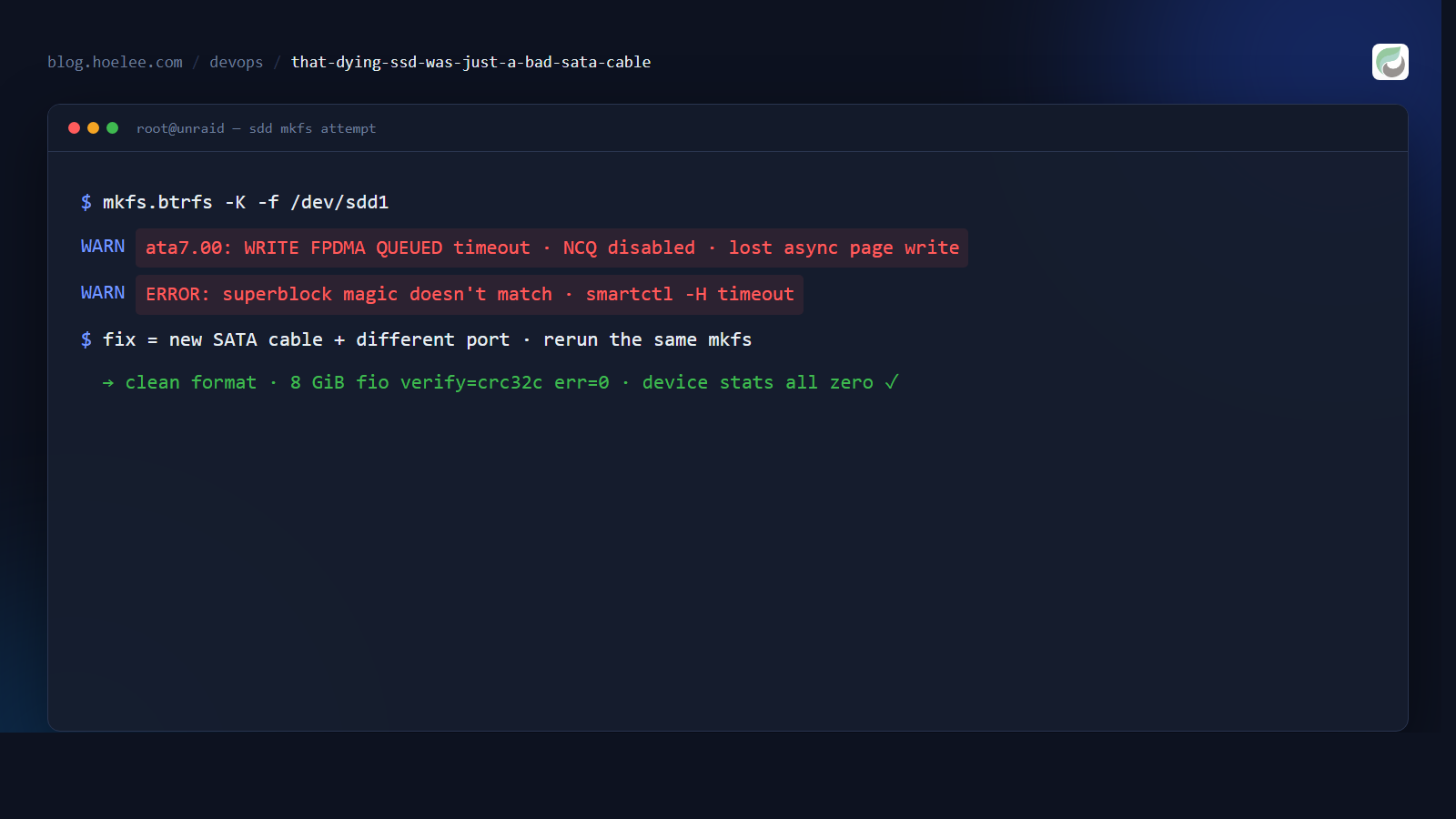
In September 2026 a Seagate IronWolf 110 960 GB SATA SSD — SMART-clean, ~99% life, zero reallocated sectors — kept failing a btrfs mkfs and then stopped answering reads. The kernel log was full of WRITE FPDMA QUEUED timeouts, NCQ disabled due to excessive errors, and lost async page write. The final mkfs printed its superblock, then failed to read it back.
Exactly one detail saved the drive: I swapped the SATA cable before I condemned it.
Why this matters
A bad SATA port or cable produces the same symptoms as a dead drive, and it produces them while SMART stays immaculate. Cable faults happen at the link layer — the transport times out and the kernel drops the I/O before your filesystem or SMART ever sees a wrong byte. If you diagnose by SMART alone, you’ll condemn healthy hardware, raise a pointless RMA, and the replacement will fail the same way on the same cable.
The symptoms that screamed “dead drive”
This was a standalone Seagate IronWolf 110 (ZA960NM10001, an enterprise SATA SSD, ~894 GiB) I was preparing for an Unraid cache pool. Three things happened, all consistent with a failing SSD:
-
The kernel log cycled through libata error handling every ~30 s:
ata7.00: exception Emask 0x4 (timeout), WRITE FPDMA QUEUED, status { DRDY }
ata7.00: exception ... action 0x6 frozen
attribute NCQ disabled due to excessive errors
Buffer I/O error on dev sdd1 ... lost async page write
The drive stopped completing queued writes, the kernel hard-reset the link, and once it degraded it dropped real pages — 28
/dev/sddLBAs lost async page writes. -
mkfs.btrfs -K -f /dev/sdd1printed a full filesystem header, then failed verification:Filesystem size: 894.25GiB ERROR: superblock magic doesn't matchbtrfs wrote its superblock, reread it, and got different bytes back. That’s silent write-path corruption — the worst kind.
-
After that,
smartctl -H /dev/sddtimed out. The drive wasn’t answering even a health poll. Combined with the write-corruption kernel flags, “RMA it” was the reasonable conclusion.
The detail that changed the verdict
Mid-diagnosis I had to move the drive physically — I landed it on a different SATA port with a different cable. I reran the identical mkfs.btrfs command before doing anything else.
It passed. Zero errors. btrfs device stats came back all-zero. An 8 GiB fio write with verify=crc32c (which writes patterned data and rereads it to check bytes) completed at err=0 with a clean read-back. The smartctl timeout never returned. dmesg shows zero error lines for the drive since that swap.
Nothing changed except the link. The “silent write corruption” was the SATA transport corrupting frames on the wire, not the NAND.
The test that would have caught it (and the one that won’t)
Two lessons came out of this:
A plain fio randrw is blind to this fault. A standard 60 s randrw test (70/30, 4k, iodepth 32) writes and reads random sectors — but it never checks that the bytes you read back match what you wrote. On a drive that corrupts on the wire, it reports err=0 and a clean pass. That’s exactly what my first test did: clean, on a drive that then failed mkfs.
You need verify, and you need the right region. fio’s verify=crc32c writes checksums and rereads to confirm them — that’s what trips read-back mismatches. And the fault was localized: the corrupt LBAs (~234,422,526–869, around 111.8 GiB into the device) sat 100 GiB past where my first test ran. A test at the wrong offset misses it entirely. The proof: a verify job pointed at the healthy region passed; the same job pointed at the known-bad range stalled the drive exactly like the pool failure had.
# The discriminating test: write w/ checksum, reread, fail on mismatch
# Run against the ENTIRE surface or the exact LBA range dmesg flagged
fio --name=verify --filename=/dev/sdd \
    --offset=111G --size=2G \
    --rw=write --verify=crc32c --do_verify=1 \
    --bs=4k --ioengine=io_uring --direct=1 --iodepth=32
If you run the same job on a healthy drive, verify succeeds. If the link is bad, fio reports checksum mismatches or hangs — long before a plain run would tell you anything.
What I’d do differently
- Swap the cable first. Before condemning a drive for timeout or write-corruption, reseat/replace the cable or move to a different port and rerun the same failing command. If the problem follows the port, it’s a link fault; if it follows the drive across good ports, it’s the drive. This is the single cheapest, most decisive test and I skipped it for hours.
- Don’t trust a clean
randrw. It can’t see silent corruption. Useverify=crc32canddo_verify=1whenever a drive has shown any write symptom. - Target the logged LBA range. If the kernel or filesystem already flagged specific sectors, test there, not at offset 0.
- SMART-clean ≠ healthy link. Zero UDMA_CRC just means the current link is clean; it can’t see the past flaky one, and transport-timeout pages are dropped before a CRC is even computed.
The result
The drive I was minutes away from RMA-ing is now a formatted, mounted, verified-working cache SSD with btrfs device stats reading all zeros. The cost of the fix: one cable. The cost of trusting the diagnosis I had: a needless warranty claim and a rig kept on a cable that was going to corrupt data sooner or later anyway.
If you’re on a NAS or a home server and a drive “fails” with FPDMA timeouts but SMART looks fine — change the cable before you change the drive.