smartctl Exit Code 32: The Code That Skips the Disks You Care About
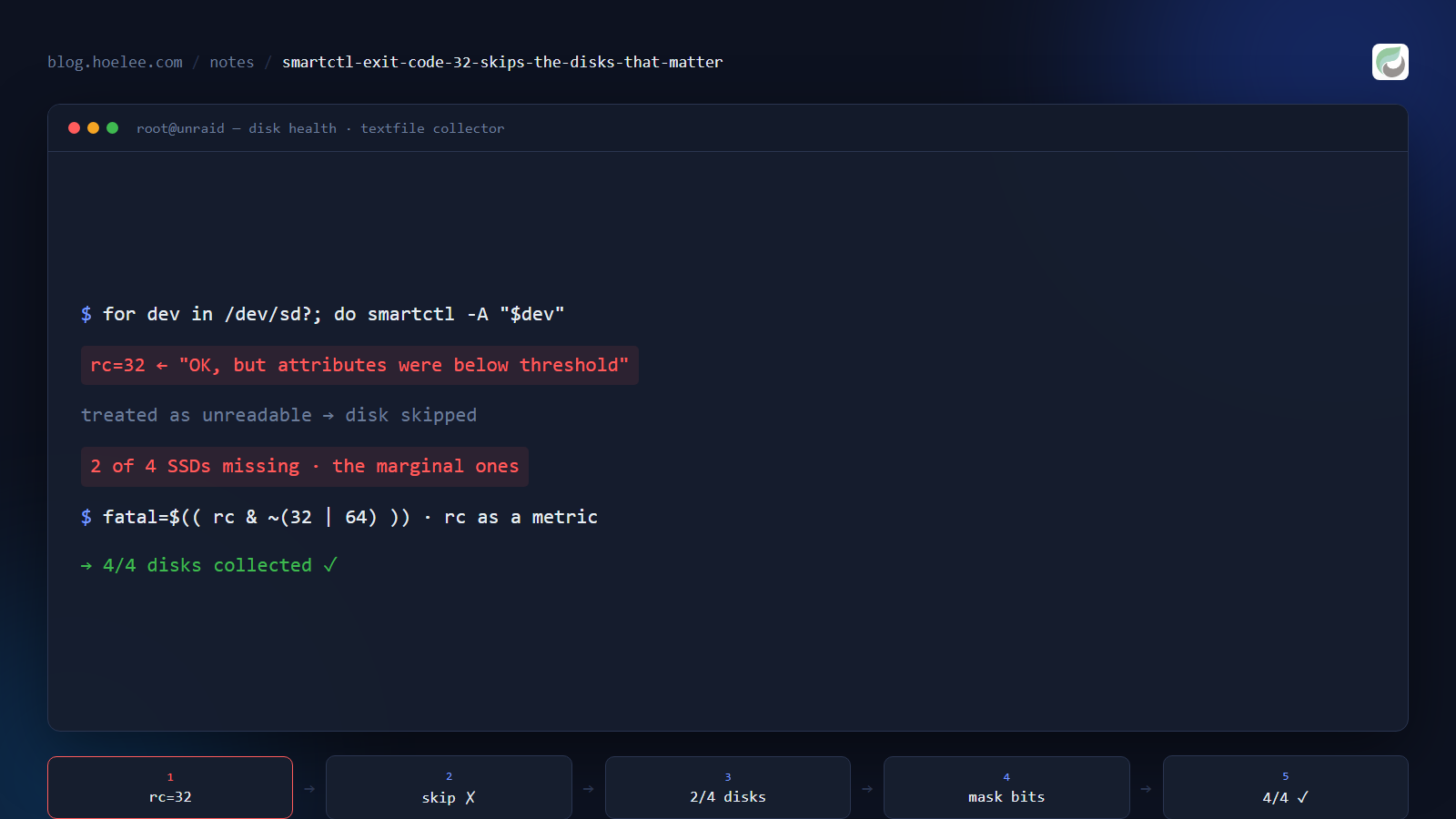
My disk-health collector was green for weeks. Every drive reported a temperature, a power-on-hours counter and a SMART verdict, and the textfile metrics looked complete until I counted them: two of the four SSDs were simply missing.
Not failing. Missing. The script had decided they didn’t exist.
The script that “handled” errors
The collector walks the block devices, runs smartctl against each one, and writes
Prometheus textfile metrics. The error handling looked defensive — the classic shell
shape:
for dev in /dev/sd?; do
  if ! smartctl -A -H "$dev" > /tmp/smart.out 2>&1; then
    continue          # "disk isn't SMART-capable / can't be read"
  fi
  # parse and emit metrics
done
if ! cmd is a boolean. smartctl’s exit status is not a boolean — it’s a
bitfield, and treating a bitfield as true/false is where this goes wrong.
What exit code 32 actually means
From man smartctl, the bits are cumulative and independent:
| Bit | Value | Meaning |
|---|---|---|
| 0 | 1 | Command line did not parse |
| 1 | 2 | Device open failed, or no IDENTIFY DEVICE structure |
| 2 | 4 | A SMART or ATA command failed / checksum error in a SMART structure |
| 3 | 8 | SMART status check returned DISK FAILING |
| 4 | 16 | Pre-fail attributes found <= threshold |
| 5 | 32 | SMART status OK, but some attributes were <= threshold at some time in the past |
| 6 | 64 | Device error log contains records of errors |
| 7 | 128 | Device self-test log contains records of errors |
So exit 32 is the opposite of “unreadable”. It means: the disk is fine right now,
and it has been below a threshold before. That is precisely the signal you want to
keep an eye on — and my collector was throwing it away.
The two disks that vanished were the two whose raw attributes sit at marginal values.
The healthy disks exited 0 and got collected. The filter was selecting for the
disks with nothing to report.
The fix: mask the informational bits
Exit bits 32 and 64 are informational for monitoring purposes; bits 8 and 16 are the ones that deserve an alert. Mask them off and act on what’s left:
smartctl -A -H -d sat "$dev" > /tmp/smart.out 2>&1
rc=$?

# fatal bits: 1 (parse), 2 (open), 4 (command/checksum), 8 (FAILING)
# informational bits: 32 (was below threshold in the past), 64 (error log has records)
fatal=$(( rc & ~(32 | 64) ))
if [ "$fatal" -ne 0 ]; then
  echo "device $dev unreadable or failing (rc=$rc)" >&2
  continue
fi

# emit the verdict AND the exit code, so the code itself is a metric
echo "disk_smart_exit_code{device=\"$dev\"} $rc"
echo "disk_smart_health{device=\"$dev\"} $(( rc & 8 ? 0 : 1 ))"
Three things changed the value of this collector:
- The exit code became data, not control flow. It’s exported as a metric, so a
disk drifting from
0→32→64shows up as a trend instead of a silent skip. - The informational bits stopped being fatal. Disks with history are collected, which is the whole point of monitoring them.
-d satmatters on a NAS. On Synology DSM (and some USB bridges), a SATA disk behind the wrong device type returns nothing useful — the same “missing disk” symptom with a different cause.
What I’d do differently
- Never write
if ! cmdagainst a tool that documents an exit-code bitfield. Read the exit-code section of the man page before using the return value as a boolean. - Count what you collected, not just whether the collector ran. My alert was on
“collector stale”; the real bug was “collector ran fine and reported 50% of the
disks”. A single
disk_countmetric would have surfaced it immediately. - Treat “no data for this device” as its own alertable state. A missing series is invisible, which is exactly why it survived for weeks.
The result
The collector went from 2 usable disks to 4, with every drive reporting temperature, power-on hours, SMART status and its raw exit code — 122 textfile metrics in total, including the btrfs error counters I actually wanted. The two disks that reappeared are the two that were already sitting at marginal attribute values.
A monitoring pipeline that skips its own worst signals is worse than no pipeline, because it tells you everything is fine.
Want this for your business?
If you’re running a NAS or a server rack and want disk health that actually pages you before a drive dies — SMART attributes, temperatures, btrfs/RAID error counters, and alerts to Telegram or email — that’s the kind of self-hosted monitoring pipeline I set up.
WhatsApp: +60 12-797 2969 · Email: [email protected] · hoelee.com
Website design and development is my main line of work; server hardening and self-hosted infrastructure is the other half of it.